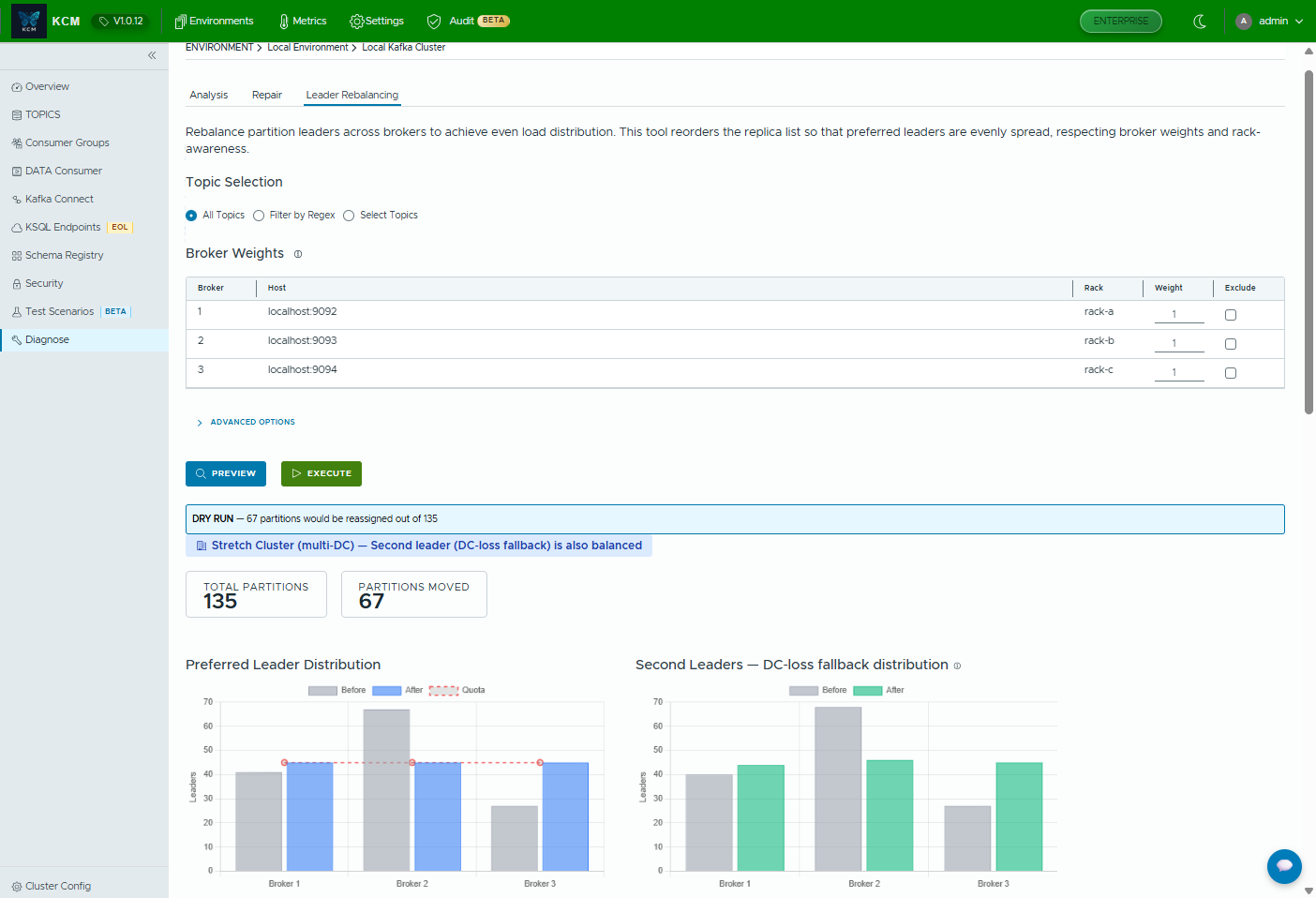
Leader rebalancing with dry-run
Reorder replicas to even out leader load. Broker weights, rack awareness and stretch-cluster (multi-DC) support included.

The modern Kafka Cluster Manager for developers and DevOps teams. Manage Kafka Connect, Schema Registry, Topics, Consumer Groups and ACLs with clarity, auditability and confidence.
A modern Kafka UI / Kafka dashboard for self-hosted teams, multi-cluster workflows and production governance.
Latest: v1.0.22 (October 2026), with Confluent Cloud metrics and encrypted secrets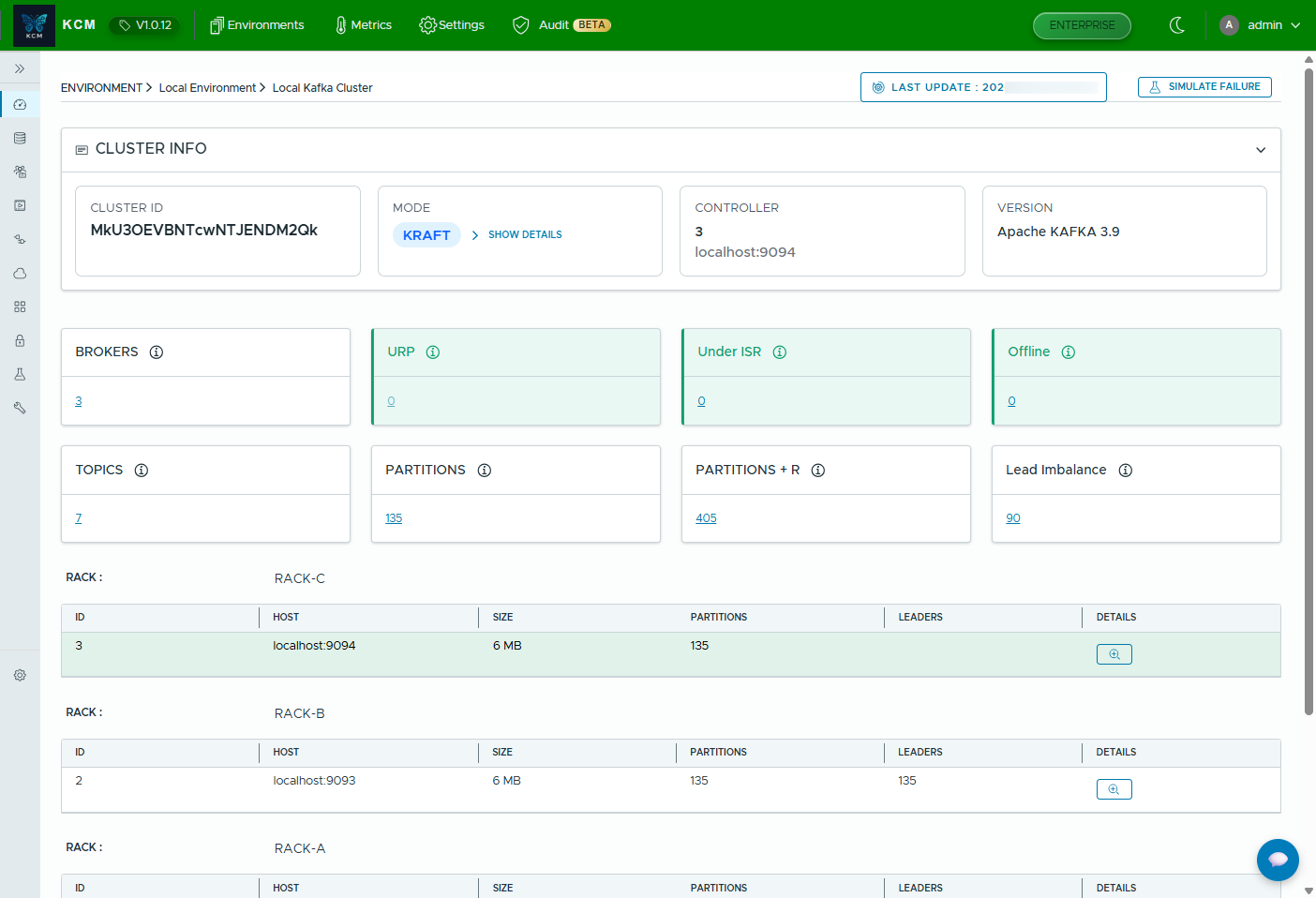
Run the KCM UI locally with Docker Compose. No account needed.
git clone https://github.com/kcmhub/KCM.git
cd KCM/00_kcm_with_docker_compose
docker network create kcm-net
docker compose up -dStop debugging JSON configs by hand. Track connector changes, validate config and diagnose failures faster.
Understand schema evolution in minutes. Keep compatibility under control with clear history and context.
Give teams the access they need, and nothing more. Perfect for multi-cluster and multi-tenant operations.
Connect your Confluent Cloud organization and manage Kafka clusters, Schema Registry, ksqlDB and fully managed connectors from the same KCM UI you use for your self-hosted and AWS MSK clusters.
Register an organization once and let KCM discover what it contains.
Operate Confluent Cloud Connect next to your self-managed Kafka Connect clusters.
KCM recognizes Cloud clusters and only offers what Confluent Cloud supports.
Understand what changed, by whom, and when, across Kafka operations.
Stop juggling dashboards and scripts. KCM brings Kafka UI workflows into one coherent tool.
A quick tour of the views that matter most when you run Kafka in production.
Reorder replicas to even out leader load. Broker weights, rack awareness and stretch-cluster (multi-DC) support included.
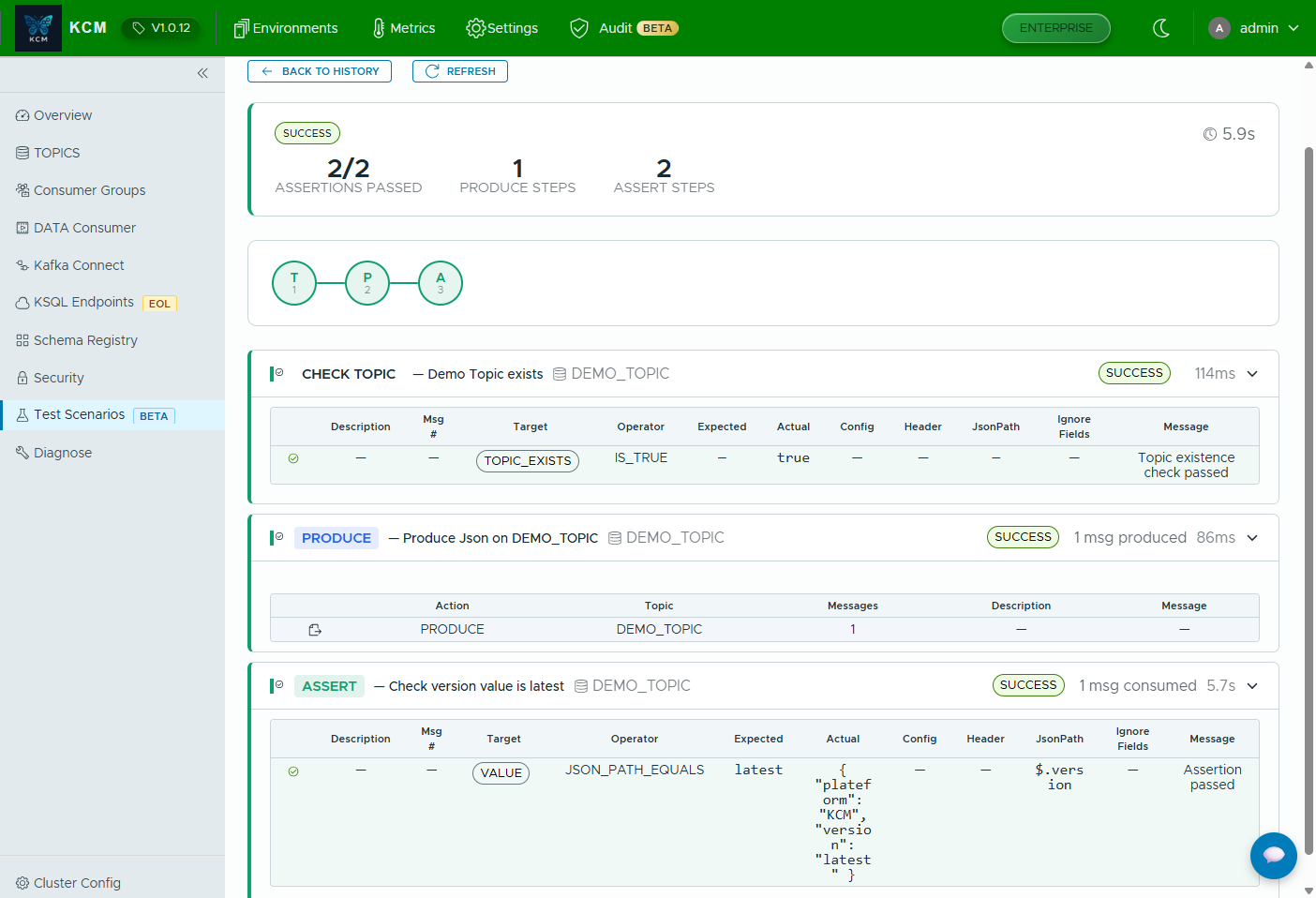
Produce, consume and assert on key/value/headers/offset/timestamp. CI-ready, YAML-importable, async execution with replay.
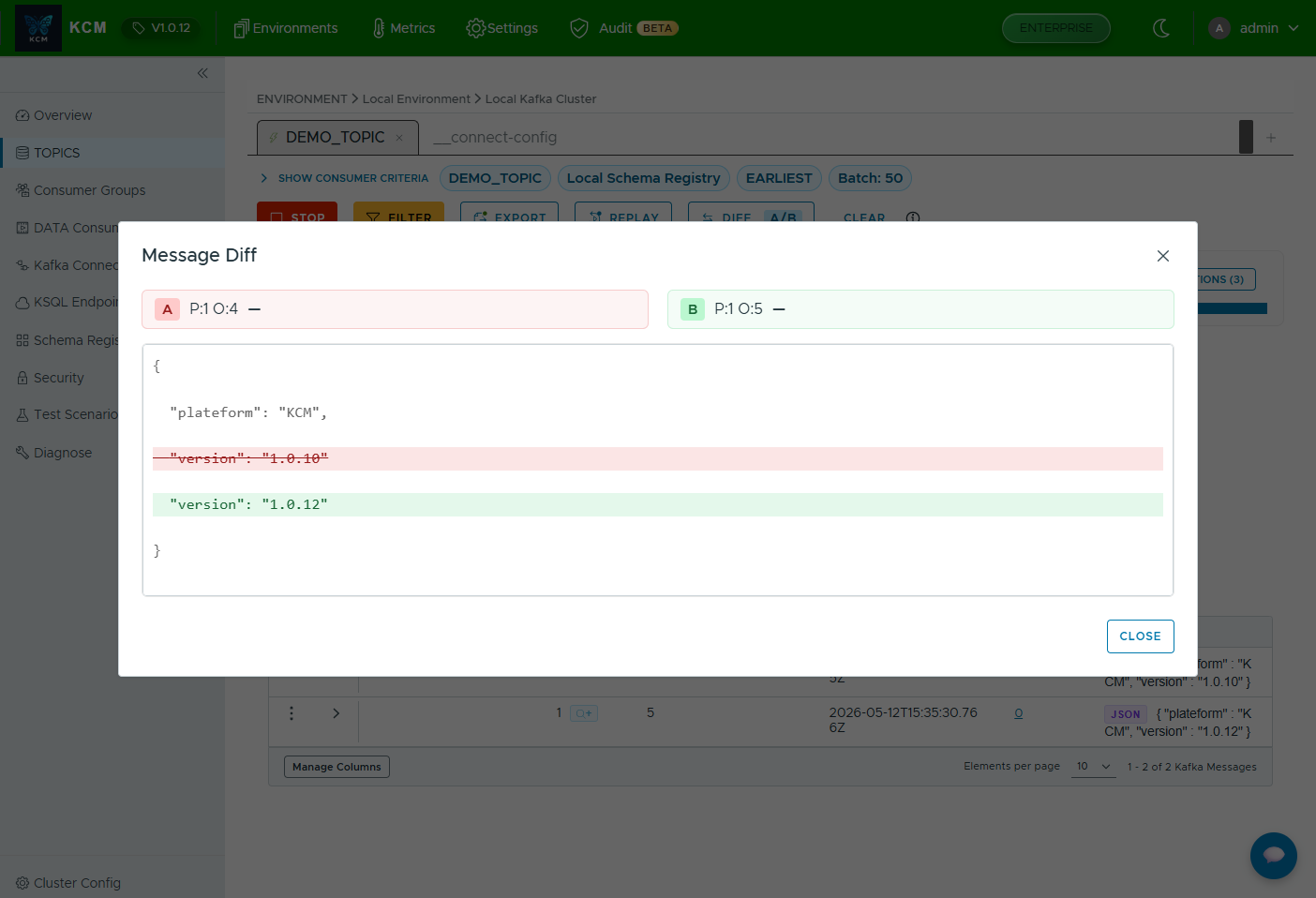
Stream messages over WebSocket, filter by offset/timestamp/pattern, replay producers, compare two messages side by side.
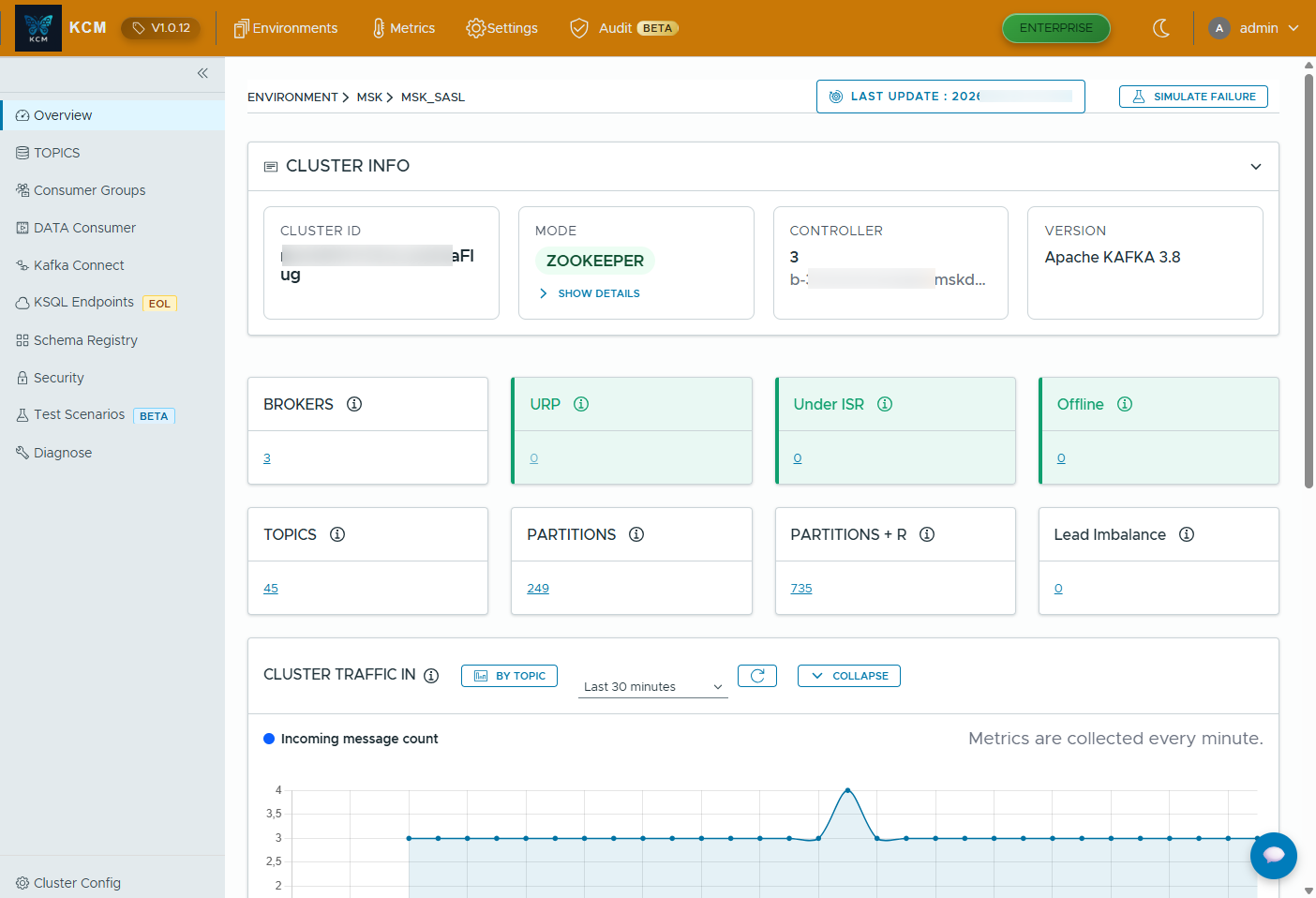
One UI for all your Kafka clusters: self-hosted, AWS MSK (IAM & SASL), Confluent Platform & Confluent Cloud.
Built for regulated environments and multi-tenant platforms. KCM lets you describe your data, scope access by resource, and export every action to your SIEM.
Tag every topic with sensitivity, criticality, retention policy and support tier, then filter and audit by label.
Grant least-privilege access per cluster, topic, connector, consumer group or schema subject, managed through reusable role groups.
Issue scoped, revocable tokens for automation, CI/CD or kcmctl, without sharing user credentials.
Every config change, ACL update, message produced or scenario run is captured with who/what/when, exportable to CSV or streamed to your SIEM.
Perfect for local dev and evaluation.
Multi-cluster, advanced governance & diagnostics.
Deploy behind your Ingress with optional Postgres/Redis and persistent volumes.
Want a guided walkthrough? Email us and we’ll schedule a 15-minute demo focused on your Kafka setup.
A Kafka UI is a web dashboard (Kafka GUI) that helps you manage Kafka resources like topics, consumer groups, ACLs, Kafka Connect, and Schema Registry without juggling scripts and multiple tools.
KCM provides a free Community edition (1 cluster) to evaluate locally and a Pro/Enterprise path for multi-cluster, governance, RBAC/SSO and production workflows.
Yes, KCM focuses strongly on Kafka Connect visibility (connectors/workers/config history) and Schema Registry (versions/compatibility context) to reduce production risk.
Yes, KCM is Kubernetes/Helm ready and can be deployed behind your Ingress with persistent storage and optional Postgres/Redis depending on your setup.
Yes, KCM imports Confluent Cloud organizations (environments, Kafka clusters, Schema Registry and ksqlDB), manages fully managed connectors and only offers the operations Confluent Cloud supports. It has been validated on a real Confluent Cloud cluster.
Explore the docs to deploy KCM with Docker Compose or Helm, connect Kafka Connect and Schema Registry, enable security, and configure production-ready persistence.